
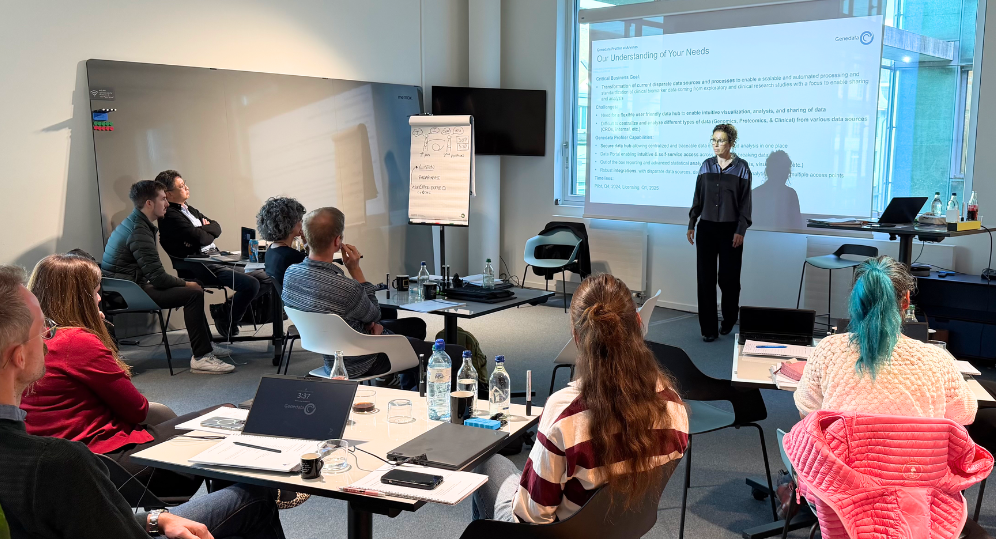
Your company launches a new AI capability. Product is excited, marketing has a launch plan, and it may well be the headline announcement at your next Sales Kickoff. It then reaches your sales and presales teams, usually with a short enablement session and a demo script that shows what the AI can do. The first demos go well, customers lean in and say it looks impressive, and yet many of those opportunities quietly stop moving a few weeks later.
This guide explains why that happens, and how sales and solution teams can demo AI features so buyers understand what changes for them and why it’s worth paying for.
Why AI product demos impress in the room and stall afterwards
AI is easy to admire and hard to buy. When a buyer watches an AI feature summarise a document or answer a question in seconds, they see clever technology. What they often don’t see is how it solves a problem they’re responsible for, or how they would justify the investment to the people who control the budget.
The numbers reflect this gap. While 76% of software firms have launched AI features, less than 10% of their revenue comes from those features. Buyers are interested, but interest alone doesn’t move a deal forward.
In my experience, AI demos stall for five reasons:
- Buyers don’t yet trust the AI.
Many buyers have seen AI produce confident answers that turned out to be wrong, and they worry about accuracy, security, control and what happens to their data. If the demo doesn’t show how the AI reaches its results, how their information is protected and how people stay in control, the buyer may be impressed but won’t feel safe relying on it. - The demo shows capability, not outcome.
The buyer sees what the AI does, but not what changes in their business. - The value is never quantified.
Nobody discovers how much time, cost or risk sits inside the problem the AI solves. - The wrong stakeholders are in the room.
A curious user enjoys the demo, while the person who owns the budget never sees why it matters. - Business concerns go unanswered
Enterprise buyers bring tougher questions to AI purchases, and consistently cite ROI, security, compliance and integration as major priorities when evaluating AI solutions. A feature-led demo rarely addresses them.
What buyers need to see in an AI demo
Buyers don’t need to understand how your AI works before they care about it. They need to see three things, in this order:
- Their situation: a problem they recognise, described in their own language
- The outcome: what their world looks like once that problem is solved
- The proof: enough of the product to believe the outcome is real
Most AI demos start with the proof and hope the buyer works out the first two on their own.
The demos that win reverse the order.
This is the core principle behind Great Demo!, the methodology validated by Gong across more than three million B2B software demos, and it matters even more with AI, where the technology can easily overshadow the value.
An example: the same AI feature, demoed two ways
Imagine a compliance software company that has just launched an AI feature which reviews policy documents and flags gaps against new regulations.
The feature tour
The SC logs in, introduces “our new AI assistant”, uploads a sample policy, explains the model, shows the prompt options, walks through the confidence scores and finishes with the settings page. Twenty minutes later, the Head of Compliance says it looks impressive and asks to be sent some information.
The outcome-led demo
Before the meeting, discovery revealed that the Head of Compliance has a regulatory deadline in March, a team of four spending around three weeks reviewing 200 policies manually, and a board that wants assurance no gaps will be missed.
The demo opens with a summary slide with exactly that, which the Head of Compliance confirms. The SC then shows the end result first: a completed gap report across all 200 policies, prioritised by risk. The SC asks, “Is this what you had in mind?” The answer is yes, followed by a question about accuracy, which leads naturally into how the AI reaches its findings and how reviewers stay in control. The demo closes by summarising the value: three weeks of manual review reduced to a few days of expert validation, well before the March deadline.
Same AI feature, same product.
The second demo gives the buyer a business case they can take to their board.
How to demo AI features: a step-by-step approach
Step 1: Discover the business problem before you show the AI
Every AI capability solves a specific problem for a specific person. Before any demo, your team should know:
- Who the AI matters to, by job title
- What critical business issue that person is responsible for
- What is getting in the way of solving it today
- What it costs in their numbers: hours, headcount, errors, delays or risk
- When it needs to be solved, and why that date matters
Without these answers, the AI will look like a nice addition instead of a solution to a problem worth paying for.
Step 2: Connect the AI to a stakeholder, not a feature list
The same AI capability means something different to each person in the buying group:
- An executive cares about speed, cost and competitive advantage
- An operations leader cares about throughput, consistency and workload
- An end user cares about saving time on frustrating tasks
- IT, risk and compliance care about security, governance and control
Plan your AI demo around the most important stakeholder first, and decide in advance what each person in the room needs to see.
Step 3: Show the outcome first
Open with the result the AI produces: the completed report, the decision made faster, the risk flagged before it becomes a problem. In Great Demo! terms, this is doing the last thing first. Then ask, “Is this what you had in mind?” The answer tells you whether to go deeper, adjust, or return to discovery.
Step 4: Show how it works, in the fewest clicks
Once the buyer cares about the outcome, show how it’s created using the shortest path through the product, if possible use a prompt. Resist the temptation to show every prompt, setting and option, since every extra step makes the AI feel more complex and less trustworthy.
Step 5: Peel back the layers only when asked
Buyers almost always have technical questions when they see AI in action: how the model works, where their data goes, and what happens when the AI gets something wrong. Answer them clearly and honestly when they come up, because these answers are what build trust. Then let the buyer’s questions guide how deep you go.
Step 6: Summarise the value in the customer’s numbers
After each section, restate what the buyer saw and what it means for them. For example: “What you just saw is how your team goes from two days of manual review to a first draft in a couple of seconds. Your quarter-end close will be done in a few hours?”
Use a Vision Generation demo to introduce AI early
Many AI conversations happen with buyers who aren’t evaluating anything yet. They’re curious, exploring, or hearing about your AI for the first time at an event or during an existing account review.
This is where a Vision Generation demo works best. It’s short, focused and designed to create buying vision while discovery is still unfolding:
- Open with a summary slide describing a company like theirs facing a familiar problem
- Ask whether it resonates, and listen
- Do a few minutes of discovery to understand their version of the problem
- Show two or three minutes of outcome, focused on the moment the AI makes their problem disappear
- Return to discovery by asking, “Is this something you’d want for your team?”
Vision Generation demos are especially powerful with existing customers, where a new AI capability can open expansion conversations that a full product tour would never start.
Use a Technical Proof demo when the buyer is ready to evaluate
Once needs are confirmed, the buyer is ready for a Technical Proof demo. This is where you show precisely the AI capabilities they asked for, address security and integration questions directly, and prove the outcome using their scenarios and, where possible, their data.
Teams that only know one kind of demo tend to give the long technical version to early-stage buyers. With AI, that usually means overwhelming a curious prospect with detail before they’ve decided the problem is worth solving.
Selling AI to enterprise buyers: common demo mistakes
- Leading with the technology: opening with the model, the architecture or “our new AI assistant” instead of the buyer’s problem
- Showing too many AI features at once: every additional capability dilutes the one that matters
- Relying on the “wow” moment: impressing the room without connecting that moment to business value
- Avoiding hard questions: sidestepping accuracy, data privacy or governance concerns reduces trust
- Demoing only to end-users: never reaching the stakeholders who approve the investment
- Ending without a next step: leaving with enthusiasm instead of a committed date and action
The AI demo checklist
Before your next AI demo, check that your team can answer yes to each of these:
- We know which stakeholder this AI capability matters to most
- We know their critical business issue and what’s standing in the way
- We’ve quantified the problem in the customer’s own numbers
- We know whether this buyer needs a Vision Generation or a Technical Proof demo
- Our demo opens with a summary slide the customer can confirm
- We show the AI’s outcome in the first few minutes
- We’re prepared for questions on accuracy, security, compliance and integration
- We’ll summarise the value after each section, in the customer’s numbers
- We know the next step we’ll propose, tied to the customer’s critical date
Prepare your team before you launch AI at your SKO
If your AI capability will be announced at your Sales Kickoff, that’s the ideal moment to prepare your team to sell it, because the announcement will create excitement and only practice will turn that excitement into pipeline.
Before the kickoff:
- Identify the business problems your AI solves for each key stakeholder
- Build Vision Generation material, including situation slides and outcome screens, so your team can introduce the AI in first meetings
- Prepare Technical Proof scenarios for the security, compliance and integration questions your buyers will ask
At the kickoff, give AE and SC pairs time to practise both types of AI demo on real opportunities, so they leave ready to use them with customers the following week.
Turn your AI launch into Customers
AI capabilities will keep arriving faster than most sales teams can learn to sell them. The organisations that turn AI into revenue will be the ones whose teams can connect it to a real business problem, show the outcome first, and help buyers build the case to invest.
How to Demo Your New AI Capability
A practical guide for sales and presales leaders, including a Vision Generation demo template for AI features.
Launching AI at your SKO 2027?
Book a 30-minute conversation with Natasja to explore how to prepare your team to demo it around business outcomes.
Frequently asked questions
How do you demo AI features effectively?
Start with the buyer’s business problem, show the outcome the AI produces first, then show how it works in the fewest clicks. Summarise the value in the customer’s own numbers and finish with a committed next step.
How long should an AI demo be?
For early-stage buyers, a Vision Generation demo should show no more than two to three minutes of product, surrounded by discovery. For buyers ready to evaluate, a Technical Proof demo should cover only the capabilities they asked for, with the most important outcome shown in the first few minutes.
Should you demo AI live or use a recording?
Live demos build credibility, but AI outputs can vary. Many teams use prepared scenarios or demo automation for Vision Generation demos, and live environments for Technical Proof once they know exactly what the buyer needs to see.
How do you handle AI scepticism in a demo?
Address it directly. Explain how the AI reaches its results, what controls are in place and how data is protected, then connect the answer back to the buyer’s outcome so the conversation returns to value.
Who should demo AI features, sales or presales?
Both, at different moments. AEs can lead short Vision Generation demos to create interest early, while SCs lead Technical Proof demos when the buyer is ready to evaluate. What matters most is a shared understanding of the customer’s situation before either demo begins.
Sources:

Natasja Bax
Founder of The DemoScene
President of Great Demo! EMEA
Recent Posts
- How to Demo AI Features So Buyers See the Business Value
- The Future of Presales: How AI Is Changing the Role of Solution Consultants
- How to use discovery to build a demo the buyer actually needs to see
- The Fastest Way to Retain Customers, Expand Accounts, and Win AI-Native Competitors
- Feature-by-Feature Demos: The Hidden SaaS Deal Killer
 Natasja Bax Owner
Leveraging years of experience in presales and training/coaching, Natasja directly pinpoints the areas in need of improvement and maximizes the performance of individuals and teams in an energetic and uplifting manner. Her feedback is personal, honest, and always focused on the best results.